215 fake VPN extensions are still on the Chrome Web Store
A VPN extension is a strange thing to fake, because a fake one gets exactly what a real one gets: the ability to see and redirect everything you do online. We found twelve groups of extensions that each impersonate several competing VPN brands from a single shared codebase. All 215 are still installable today.
Why a fake VPN is worth building
When you install a VPN extension, you hand it permission to route your browser traffic through a server of its choosing. That is not a side effect — it is the entire function. A genuine provider uses it to protect you from the network you are sitting on. Somebody dishonest uses the identical permission to place themselves between you and every site you visit.
There is no technical difference between the two. The permission is the same, the code is similar, and the extension store shows you the same green install button. The only thing that differs is who is on the other end of the tunnel.
This matters most for the people most likely to be targeted. Several of the impersonated names — AmneziaVPN, AntiZapret — are tools people specifically choose when their own network is hostile. An imitation of those is aimed at exactly the users who cannot afford to install the wrong one.
What we found
We catalog every extension in the Chrome Web Store — download it, unpack it and examine what it actually ships. That let us compare extensions by the structure of their code rather than by their name or description, which is how we found the pattern: twelve separate groups where every member is built from the same source, and where each group presents itself as several unrelated, competing brands.
One company shipping ten of its own extensions is ordinary. One codebase shipping “CyberGhost”, “Proton”, “Planet” and “Turbo” at the same time is not — those are four competitors. The largest group we found spans 75 extensions and claims seven different vendors.
What they look like from the inside
These are the actual interfaces, rendered from the packages themselves. Two of them call themselves Proton VPN. They come from different groups, and neither is Proton.
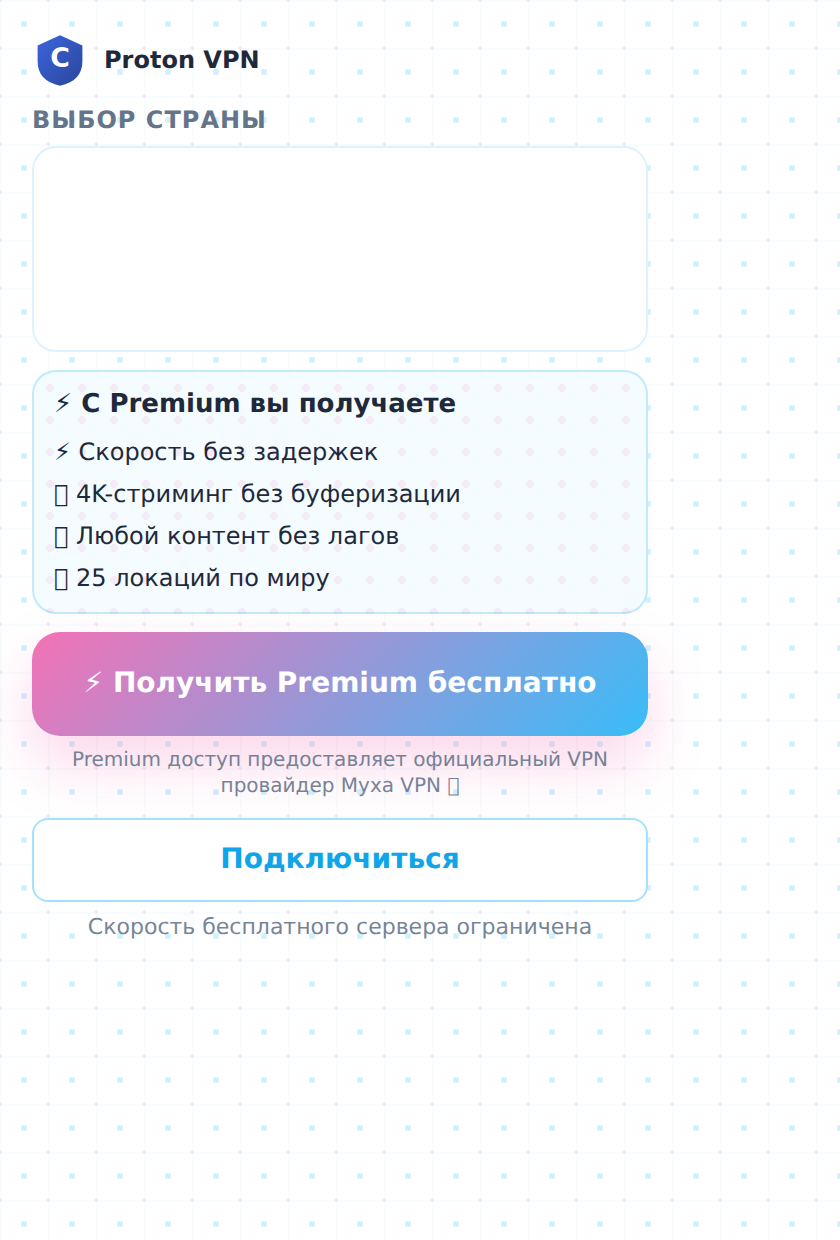
The footer credits a different company entirely as the actual provider.
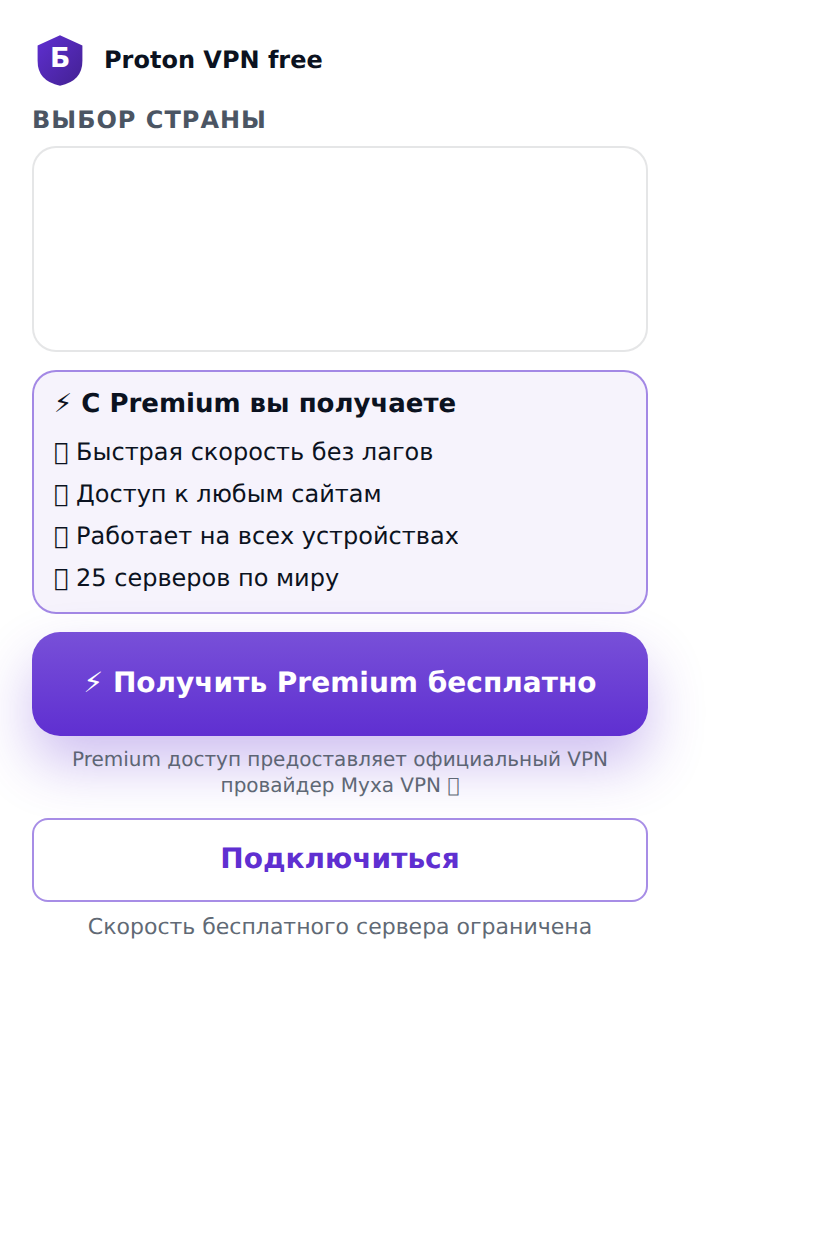
A different group, the same template and the same footer.
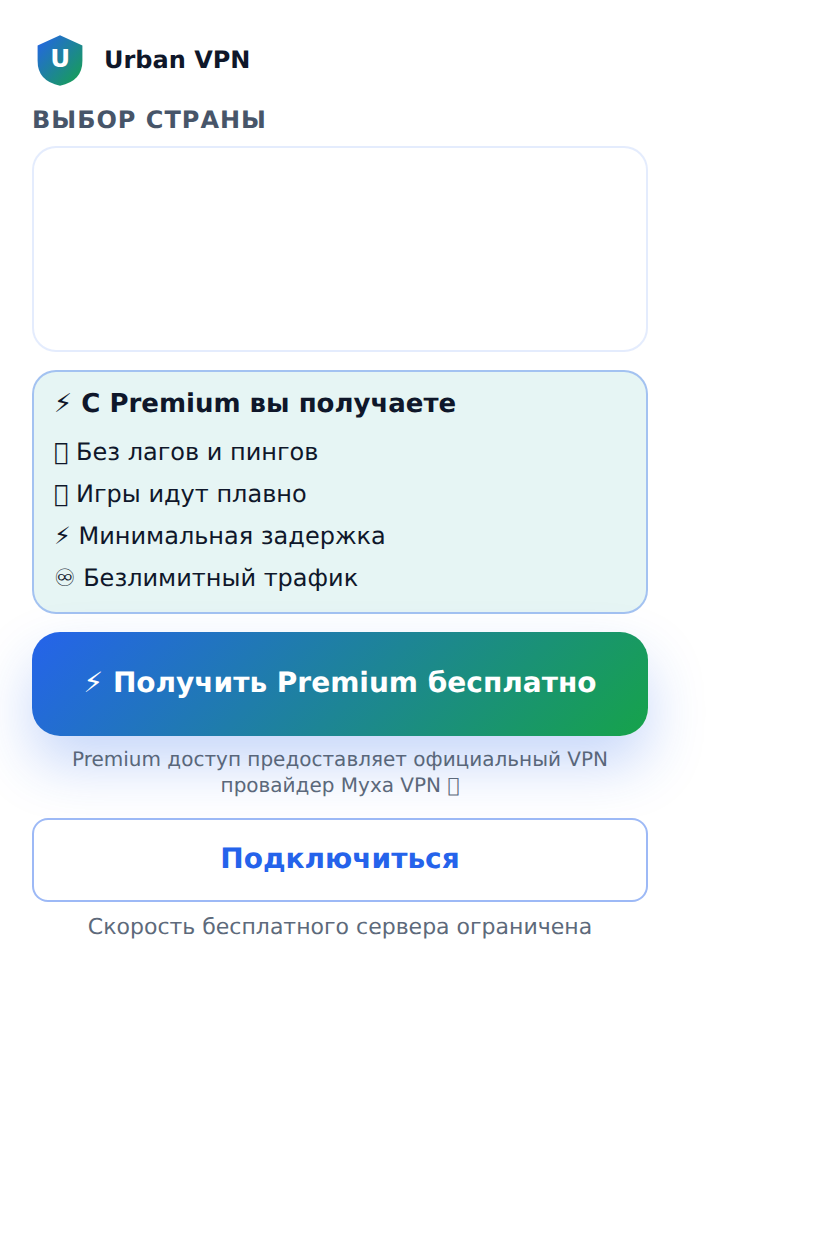
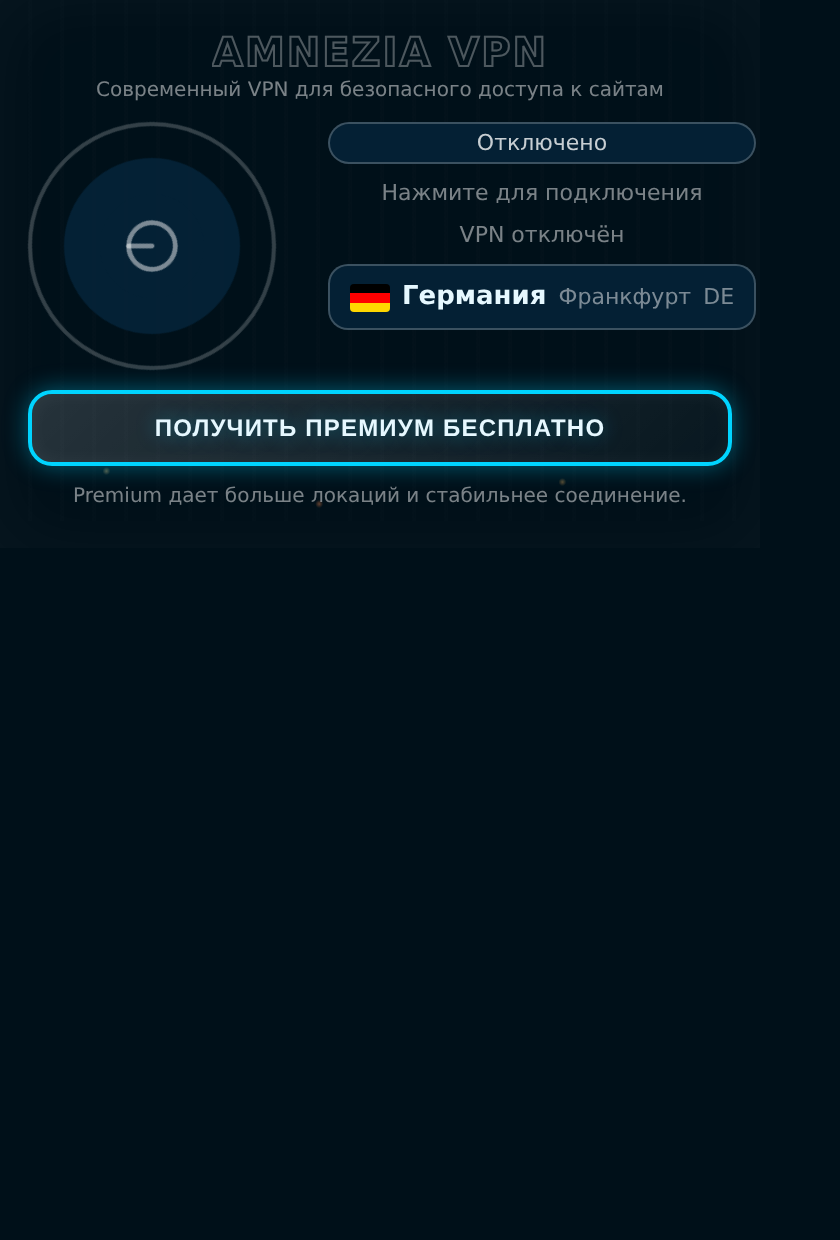
The tell is small and easy to miss at install time: the icon is generated rather than the company's real logo, and the small print names a provider you have never heard of. Nothing about the listing page warns you.
Why the store's checks do not catch this
We should be straightforward about our own result here: our automated analysis rated every one of these 215 extensions as benign, and it was not obviously wrong to do so. Each one produces two mild observations — it asks for proxy permission, and it runs a background process. That is an accurate description of a VPN extension. It is also an accurate description of a fake one.
This is the practical lesson for anyone relying on store review or on permission prompts: those checks answer “what is this allowed to do”, and for this category the answer is identical for the honest and dishonest version. Catching it requires comparing an extension against the rest of the store — noticing that one codebase is wearing several companies' names at once.
How to check the VPN extension you have installed
- Go to the vendor's own website first and follow their link to the store listing. Do not search the store by brand name — that search is precisely what these extensions are built to win.
- Check the publisher on the listing page, not the extension's name. Proton's extension is published by Proton. A convincing name means nothing.
- Open the extension and read the small print. If it credits a provider other than the brand on the label, that is your answer.
- Look at install counts against reputation. A globally known VPN with 1,000 users is not the globally known VPN.
- Look the ID up. Every Chrome extension has an ID in its store URL. You can search ours in the public extension library, which lists what each one is permitted to do.
Still installable
On 27 August 2026 we requested each of the 215 packages from the Chrome Web Store. Every one was served. This campaign was publicly documented two months earlier, and these particular extensions remain available to install today.
The most-installed impersonations, by store ID:
mlndifgbehammhhbecgfcpbcbmnfhooe — “Proton VPN” · 2,000
pgegfnolipocfakkldnkommjffijfejf — “Proton VPN free” · 1,000
hgikgejnemplefjnopeekipnjceclkng — “Proton Vpn — рабочий впн в рф 2026” · 1,000
edafhahkifbgibhbgbdammgfbplnejhk — “Urban VPN — стабильное подключение…” · 1,000
hjleepdhpbinianbpbfdbkmnhenelmde — “Turbo VPN — Бесплатный ВПН для браузера” · 779
nhjolbdkhnpbneljlpojgbgajjhfadoe — “Amnezia VPN” · 717
hmhmfclclghjomcbhbleehlpbomhdomg — “Windscribe VPN — бесплатный впн для Chrome” · 598
What we are and are not saying
We verified these facts ourselves: the 215 extensions fall into twelve groups sharing a codebase; each group presents itself as several competing vendors; all 215 were installable on 27 August 2026; the install counts are as listed; our own analysis rated them benign.
The underlying campaign — including the analysis of where the traffic is routed — was discovered and documented by Socket, who mapped 737 extensions across more than 40 developer accounts. We confirmed the proxy behaviour on one sample and cite their work for the rest. We are not claiming to have proven malicious behaviour in all 215; we are reporting brand impersonation, shared construction, and the fact that they are still there.
Campaign discovery and behavioural analysis: Socket — Mücha VPN campaign. The grouping, the install and availability checks as of 27 August 2026, and the analysis of why automated review misses this are ours. Browse the extension catalog at nithic.ai/extensions.